
Paste a texted gear request into a projectProfeature
How to paste a gear request someone texted you into a project's gear list, let Aestro match each line to your gear and check what's free, and review it before it's added.
Paste the text, and Aestro fills the list from your gear.
Gear requests usually arrive as a text: "1x 1200x, 3x cstands, 2x combos". With Pro, you paste that straight into a project's gear list. Aestro reads each line, finds the item in your own gear, and checks how many are free on the project's dates. You check the result before anything is added.
Aestro reads the way people write on set. Model numbers find the full name, so "1200x" finds your Aputure LS 1200x. Plurals and run-together words work, so "cstands" finds your C-stand. Common slang works too, like "sticks" for a tripod. Kits match as well as single items. It never guesses: when more than one item fits, it asks you to pick.
On Free, you add each item with Add gear.
Paste it into the project's gear list.
- Open the list. Open the project's Package tab and the gear list the request belongs on. Make one with New gear list if you need it.
- Choose Add gear. The panel for adding gear opens beside the list.
- Choose Paste a request. It's under the gear, next to Add a saved list, with the Pro mark.
- Paste the text. Paste the message into Request as it came, greetings and all. Lines that aren't gear are skipped.
- Choose Read request. Aestro matches each line and shows the check step.
If the project has no dates yet, Aestro says so, and counts against everything you own instead of what's free.
Check each line before it's added.
Check the request lists every line in quotes, the way it was written, beside the gear Aestro picked and the quantity.
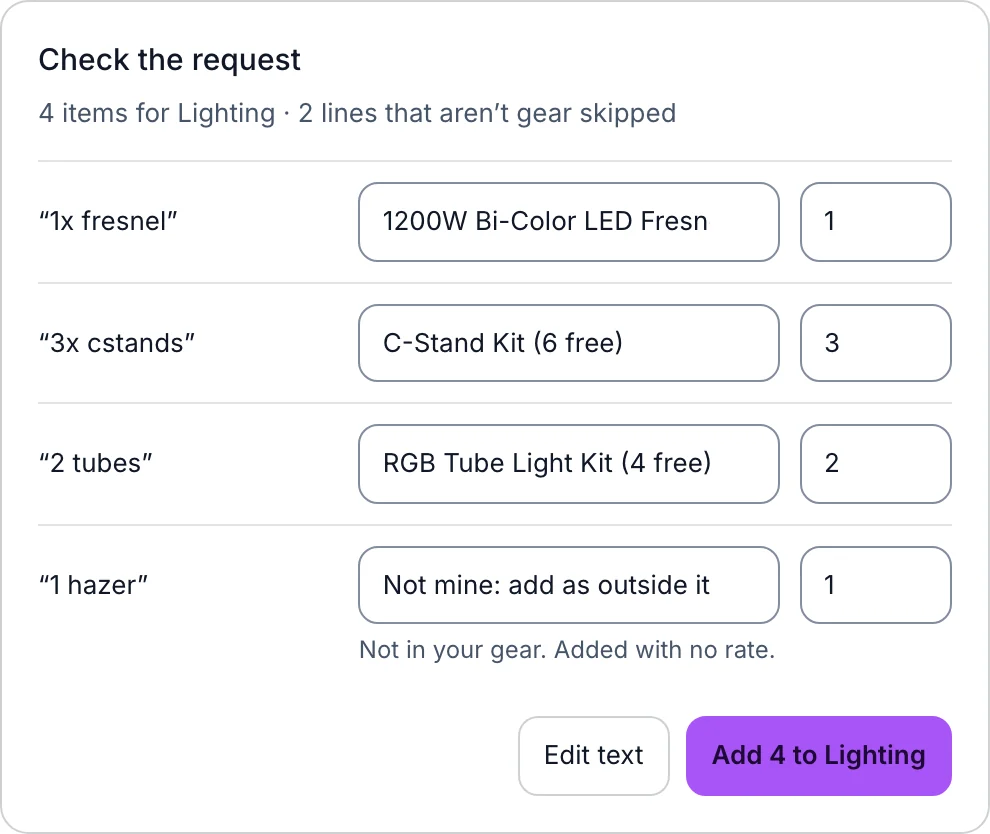
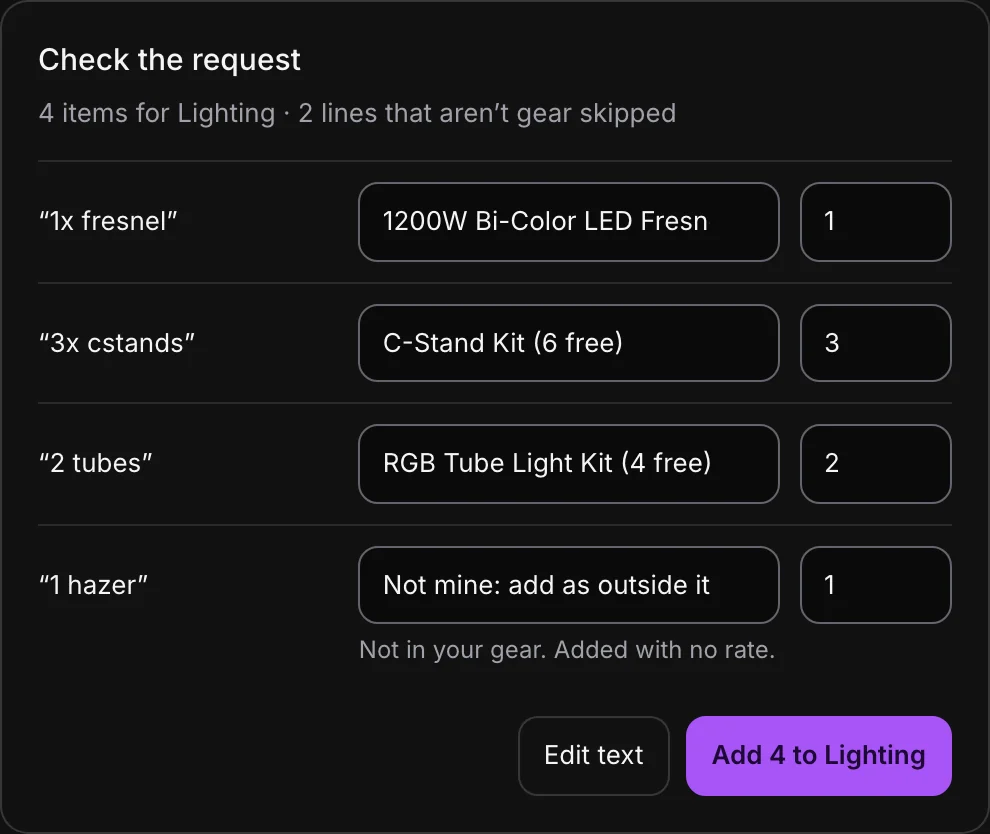
- A clear match is picked for you, with how many are free on the project's dates.
- More than one fits. The line waits on Choose… until you pick the right item.
- Not enough free. The line says how many are free on these dates, and the rest won't be added. Lower the number or pick something else.
- Not your gear. Pick Not mine: add as outside item and it goes on the list with no rate, or pick Skip.
- No number given. Aestro uses 1 and says so. Change the quantity box if they meant more.
When every line has a pick, the button reads Add, the count, and the list's name, like Add 4 to Lighting. Until then it says how many still need a pick. Edit text takes you back to the pasted message.
On iPhone, it's in Add gear.
- Open the project's gear list and tap to add gear.
- Tap Paste a request, at the top of Add gear.
- Paste the text and tap Read request.
- On Check the request, tap any line to change its pick, then tap Add with the count.
Once it's on the list, the gear is booked for the project's dates like anything else you add. Billing it is covered in the gear rental invoice guide, and building the rest of the list in the shoot gear list guide.
Before you add it.
Use this checklist as you review. Your checks stay on this page until you leave or reload.
0 of 6 checked
Stop retyping gear lists.
Paste the next request you get into a project, check the matches, and the list is built from your own gear.
Try Aestro freeExplore the demo first